
 By William Smith
- Good setup beats a fancy tool.
- Anchor the voice or it reads generic.
- Four good tools beat twelve.
- Give the team a win early.
- Every workflow needs one owner.
Most small businesses don't have a marketer. They have a person whose job says one thing and who ends up doing the marketing too, because nobody else will. The office manager who handles social. The bookkeeper who writes the newsletter. The owner who's everywhere at once. Maybe that's you.
The business here is a small gallery with a tiny team. The person handling marketing also runs the office, schedules artists, processes inventory, pulls together RFPs, and answers email when the owner is out. She's not a marketer by training. She's a generalist who got marketing added to the pile because someone had to do it.
The gallery has real aspirations. They want to look as polished as the bigger galleries they admire. Closing that gap with a one-person operation is the job we set out to do.
Where the gallery started
Six things were broken when we walked in.
- The brand looked like six different galleries. Every page had its own fonts, image treatment, and tone. You couldn't tell two pages came from the same place.
- The newsletter had no segments. One email went to collectors, casual browsers, press, and artists alike. Nobody knew who was reading, opening, or buying.
- Social was reactive. A flurry around an opening, then two weeks of silence. The look changed with whoever made the post.
- Artwork lived as flat photos on a white wall. No way to show a piece in a real room without an expensive shoot or hours in Photoshop. Collectors had to imagine it.
- RFPs ate hours. Every request meant searching for past work, writing, formatting, and gathering assets from scratch.
- Assets were everywhere. Photos on phones, in email threads, on the server, in random Drive folders. Finding one could take an hour.
This is the real shape of a small business. One generalist keeping the wheels on while doing four other jobs, with everything important slightly broken or scattered. Sound familiar?
The transformation at a glance
The build: six interlocking systems
We didn't fix everything at once. We built six systems, one at a time, each solving a specific headache. They share some plumbing (a brand voice doc, a central asset library, a publish log), and each runs its own workflow.
1. Brand identity + voice anchoring
Nobody had written down what the gallery sounds like or looks like, so everyone made it up as they went.
We wrote it down. A documented brand voice with separate sections for written and visual output. A reference collection of the gallery's best past work: newsletters, essays, social posts the owner loved. A visual guide for layout, image treatment, and color. All of it feeds every AI workflow downstream, so what comes out sounds like the gallery instead of a generic robot.
Now the newsletters, social, audio, and RFPs feel like they come from the same place. First-draft AI output went from 60–70% on-brand to 85–90%.
2. Segmented email + reliable newsletter
One big list, no segments. The newsletter went out when there was time, and sometimes not at all.
We split the list into collectors, friends of the gallery, press, and artists, all tagged. We locked a cadence: every two weeks, no exceptions, on a repeatable structure. AI-assisted drafts pull from the voice doc and the gallery's exhibition data. Per-segment campaigns go out when they're needed: collector previews, press releases, artist updates.
The newsletter ships every two weeks now. Open rates break out by segment.
She knows who she's talking to.
3. Branded social cadence
Social was reactive, off-brand, and all over the place.
We gave it a rhythm. One batch session, Monday morning, 60 minutes: she plans the week's posts, generates AI-assisted drafts against the voice doc, and schedules them. Nano Banana handles the non-artwork visuals (campaign heroes, mood backgrounds, email headers), anchored to the gallery's look. A shared image library means nobody rebuilds the same kind of image every week.
Now it's 3–5 posts a week, one voice, one recognizable style. The feed looks like one place run by one team.
4. AI scene generation for artwork imagery
Marketing visuals were flat photos on a white wall. There was no way to show a piece hanging in a real room without an expensive shoot or hours of manual mockups. Collectors had to picture it themselves, and sales conversations paid the price.
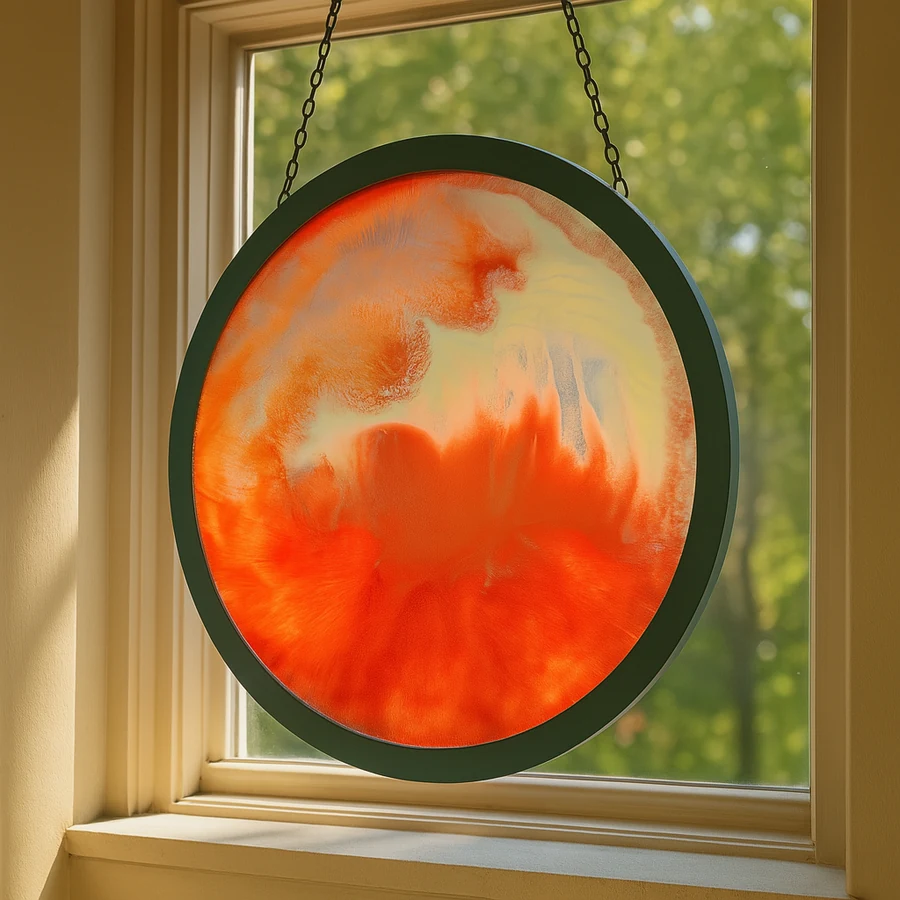
We built a scene pipeline on Nano Banana. She feeds in an artwork plus a scene type (gallery wall, modern living room, executive office, hospitality interior, architectural exterior), and the pipeline drops the piece into the scene with the right scale, lighting, and shadow. She reviews, tweaks, and saves the keepers to the library, which builds into a consistent visual vocabulary over time.
The gallery now makes dozens of scene visuals per piece, for social, collector outreach, RFP responses, the website, and promo decks.
It's a lot easier to sell a painting when the buyer can see it on a wall instead of imagining it there.
Each example below is a real artwork dropped into a room that feels real. The video at the bottom shows a piece in motion.


5. RFP automation
Every RFP ate 4–6 hours of searching, writing, formatting, and gathering assets.
We built a library of past responses sorted by request type (private acquisition, public commission, exhibition partnership, press feature). AI-assisted drafting combines the right template with the specific ask, pulls the assets it needs from the central library, and hands it back. She reviews, tweaks, and exports.
RFPs take 60–90 minutes now. And the quality holds steadier, because each one starts from a strong template instead of a blank page.
6. Centralized asset library
Media was scattered across phones, email, server folders, and Drive. Finding one photo could take an hour.
We pulled it all into one image library with consistent tags (artist, exhibition, year, asset type, usage rights). It tracks what's been published and what's sitting idle. Search finds anything in seconds. And there's a simple rule for new stuff: anything that comes in by phone or email gets logged, then deleted from wherever it landed.
Nothing lives only on someone's phone anymore. The other systems all pull from this library, so nobody hunts for the same image five different ways.
The orchestration layer
The six systems share four pieces of plumbing:
- One brand voice document with sections for written, spoken, and visual identity
- One central asset library that every system reads from and adds to
- One publish log with every output across all systems, dated, tagged with the model that made it
- One dashboard showing the weekly numbers: outputs shipped, edit ratio, voice-drift flags, time on marketing
She runs all six from a single Command Center. She sees what's queued, drafted, reviewed, and published. AI stopped feeling like magic and started feeling like a tool with a dashboard, like any other.
What worked
Anchoring everything to the brand from day one. Doing the voice doc and visual identity first paid off in every system after it. Skip it and every new workflow drifts further from what the gallery actually sounds like.
Sending each job to the right model. One model doing everything gives you mediocre everything. Route each job to the model that's best at it and results jump across the board: Claude for nuanced text, ChatGPT for structured outputs and segmentation logic, Gemini for long-context analysis, Nano Banana for images, ElevenLabs for voice. (Full routing matrix here.)
Making the image library the spine. Once everything lived in one tagged, searchable place, the rest got easier. Newsletter, social, RFPs all pull from it. The "where is that photo?" hunt disappeared.
Building it so she could run it without me. Every system had to work in her hands, not mine. If it needed me around to function, it was the wrong system. She could run every piece herself the day we shipped it.
What didn't work the first time
My first asset library was over-built. I made a fancy tagging system with 30+ categories that took too long to keep up. She stopped logging things in it. So we ripped it out and rebuilt it simple: five main tags, a free-text description field, and a "needs sorting" inbox for stuff that came in fast. That one she actually used.
My first newsletter system was over-built too. I handed her a 5-step pipeline before she was comfortable with the basic idea. We threw it out and rebuilt it in two steps. That version she could run.
The RFP system was almost too automated. The first version drafted the whole response from a template plus the request, and it came out generic in ways that matter for a proposal. So we pulled back: AI drafts the structural pieces, she writes the "why us" part herself. Better for everyone.
What we kept manual
Most consultants skate past this part.
Curatorial calls stay manual: which artist, which show, which works to highlight. AI doesn't make those calls. It carries them out.
Talking to artists stays manual. Every message to an artist is written and signed by a person.
Bad-news messages stay manual. If a piece is damaged, a delivery slips, a complaint lands, the owner writes it.
Pricing and acquisition stay manual. Obviously.
The "why us" section of every RFP stays manual. AI helps with structure and assets. The pitch comes from a person.
None of this touches what makes the gallery the gallery. It clears the busywork around it, so her hours go to the work that actually needs her.
The numbers
(Anonymized ranges. Exact figures are confidential.)
| Metric | Before | After |
|---|---|---|
| Brand voice consistency (first-draft on-brand %) | 60–70% | 85–90% |
| Newsletter cadence | Sporadic, sometimes none | Every two weeks, reliable |
| Social posts per week | 0–4 (variable) | 3–5 (consistent) |
| RFP turnaround | 4–6 hours | 60–90 minutes |
| Time to find a specific media asset | 15–60 minutes | <30 seconds |
| Operator hours per week on marketing | 0–10 (chaos) | 3–5 (predictable) |
| AI tool subscription spend per month | ~$280 (untracked) | ~$340 (tracked, owned) |
The cost barely moved. The output on every channel got better. And the week-to-week guessing collapsed.
That's a system.
Lessons that translate to other small businesses
Build for the person actually doing the marketing. Whoever that is, not the trained marketer you wish you had. That's who has to run this on a Tuesday.
Anchor to the brand first. Voice and visual consistency are the foundation, and every other system inherits from them. Skip it and every workflow spits out generic output. (Voice anchoring deep-dive.)
Get all your assets in one place. A scattered library taxes every other workflow. Fix it early and everything downstream gets faster.
Use the right model for each job. Match the tool to the task and everything improves.
Keep a human on the calls a human should make. AI is great at the work around a decision. The decision stays with a person.
The system has to run without me. If it needs me around to keep working, I built the wrong thing. She owned it from day one.
FAQ
-
How long did this take?
We built it in phases, at the team's pace. Any single system was 1–3 weeks of intermittent work. We'd ship one, let her run it for a few months, then build the next when she had bandwidth. The full system has run reliably for a while now.
-
What did the engagement cost the gallery?
Less than they'd been spending on chaos: contracted-out essays, untracked subscriptions, hours hunting for assets, hours pulling RFPs together from scratch. The system has cost a fraction of what they were burning before, and it compounds downward as the systems mature.
-
Could a smaller business do this?
Yes, depending on your bandwidth and tool fluency. The architecture scales down. A two-person business can run a similar system at lower volume. The same six pillars apply.
-
What if the person doing our marketing has no time for any of this?
Then the first job is to free up time, not to add AI. Redesign the work so they get 3–5 hours a week back. Sometimes that means killing workflows that aren't earning their keep. AI amplifies whatever capacity you already have. If there's none to start, it has nothing to work with.
-
What's the biggest risk in a small-business AI build?
Building something the operator won't keep running. Anything that needs the consultant to stay involved is fragile. The system has to live in the operator's hands, or it dies the moment the consultant leaves.
-
Can you do this for my small business?
Start by giving your AI your business's context. That's the foundation everything else builds on. Give Your AI a Brain walks you through it, and the free check shows you where you stand first.
This is what a real system looks like inside a real small business. Six headaches, six workflows, one person who runs them all. If that sounds like your shop, start where she did: give your AI your business's context. Start with Give Your AI a Brain.